

Key Takeaways
-
Self-service performs best when it solves a specific customer problem.
-
Fast checkout alone is not enough. Customers also need clear instructions, dependable information, and easy access to help.
-
Accessibility must be considered across the entire journey, including finding the station, completing the task, and recovering from an error.
-
Store teams remain essential for advice, approvals, exceptions, and personal service.
-
Completion rates, assistance requests, wait times, and error patterns reveal more than device usage alone.
Why Self-Service Needs a Fresh Store-Level Plan
Today’s store visit can involve a retailer’s website, mobile account, pickup counter, associate, and self-service station. The goal is not to force every shopper through the same route. It is to give people a simple way to complete routine tasks while preserving a clear path to personal help. Retailers exploring checkout, ordering, or pickup options can learn more about retail kiosk applications as part of a broader store-service strategy.
A quick transaction can still feel frustrating when directions are vague, a price changes unexpectedly, or no employee is available when something goes wrong. A shopper buying a few everyday items may welcome a fast self-checkout option. Someone comparing products, handling a return, or making a high-consideration purchase may reasonably prefer a conversation with a knowledgeable associate.
Start With the Customer Task
Before selecting hardware or software, define the customer task in plain language. “Complete a payment” is clearer than “deploy a checkout solution.” “Find an available size” is more useful than “add product-search technology.” This focus keeps the project tied to a real need instead of a feature list.
-
List frequent customer requests and recurring employee tasks.
-
Identify points where customers wait, repeat information, or abandon the process.
-
Separate simple, repeatable tasks from those requiring advice, approval, or judgment.
-
Test whether a first-time user can finish without training.
-
Create an obvious handoff to an employee whenever the process cannot continue.
Useful starting points include checking item details, locating sizes or substitutes, ordering an unavailable item, collecting an online order, initiating a return, or paying for a small basket. Each task has different risks, service expectations, and operational dependencies.
Design a Short, Clear Customer Journey
Good self-service removes uncertainty one step at a time. Use familiar language, present one primary action per screen, and keep navigation controls in consistent locations. Show prices, discounts, fees, and the next step before payment. Customers should be able to go back without losing all progress.
Error handling deserves the same care as the happy path. If a shopper scans an item with an unusual barcode, the screen should explain what happened and offer a practical next action, such as trying again, setting the item aside, or calling for assistance. A vague warning can turn a minor issue into an abandoned transaction.
Balance Speed With Human Support
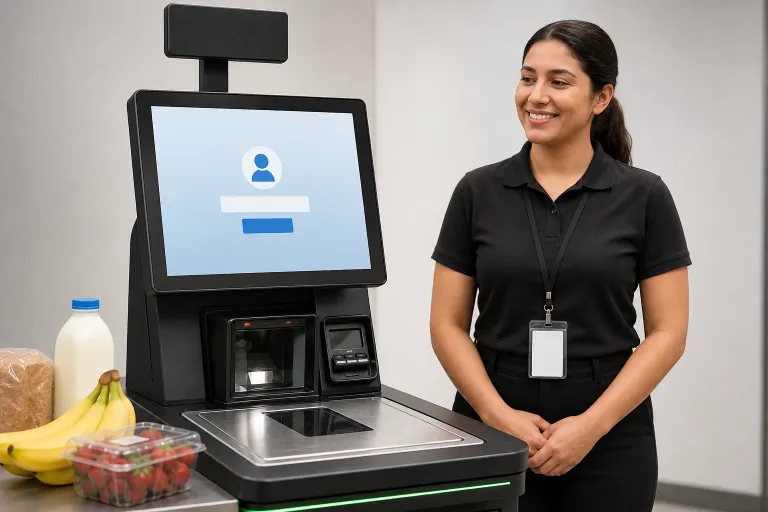
Self-service is not unsupported service. Staff should be visible near busy stations, able to respond quickly, and authorized to resolve common exceptions without making a shopper restart. A help button, clear signage, and a staffed alternative all reduce the feeling that customers are left alone with a problem.
-
Position employees so they can monitor several stations while remaining approachable.
-
Train teams to coach customers through a step instead of automatically taking over.
-
Give associates simple escalation paths for payment, pricing, age-restricted, pickup, and return issues.
-
Maintain a personal-service option for shoppers who want or need it.
Build Accessibility Into the Full Experience
Accessibility involves more than mounting a screen at an appropriate height. Customers need to find the service, reach its controls, understand its prompts, make a payment, receive confirmation, and get help if needed. Applying established accessibility guidance to digital interfaces can help teams evaluate readable text, contrast, understandable instructions, focus order, and error recovery.
In a physical store, consider reach ranges, clear floor space, readable receipts, adequate response time, audio or visual alternatives where appropriate, and controls that do not depend on a single method of interaction. Most importantly, test the full journey with people who have different abilities and incorporate what they experience into the next design cycle.
Connect Self-Service to Store Operations
A customer-facing screen is only the visible part of the service. Product information, inventory counts, payment systems, order status, receipt delivery, and employee workflows all affect whether the journey succeeds. If a station accepts an order for an item that is not actually available, the friction has simply moved to a later stage.
Retailers should keep product and pickup information current across channels, route exceptions to the appropriate team, monitor device health, and protect customer and payment information throughout the process. A structured approach to handling personal information, such as the privacy risk management approach published by NIST, can help retailers ask what data is necessary, how it is used, and how it is safeguarded.
Use Technology Carefully
Technology should eliminate effort, not create new decisions. Product search can help customers find an item, color, size, or substitute. Digital ordering can extend a store’s catalog beyond what fits on the floor. Remote assistance can provide another support route when nearby staff are occupied. Computer vision and personalized prompts may also be useful, but both require careful testing, understandable customer communication, and appropriate privacy practices.
Measure What Customers Actually Experience
High usage does not automatically mean a good experience. Review completed customer journeys alongside operational performance. Useful measures include task completion rate, average completion time, abandoned sessions, employee-assistance requests, scanning or payment errors, corrections after completion, customer feedback, system uptime, and repair time.
Review results by store, time of day, task type, and station location. Those patterns can show whether the issue is interface design, staffing, store layout, inventory accuracy, or a payment-process failure.
A Practical Rollout Plan
-
Choose one problem. Start with a frequent, measurable task.
-
Observe real behavior. Watch where customers pause, backtrack, or ask for help.
-
Run a limited pilot. Test in a small group of stores before expanding.
-
Include store teams. Employees often identify exceptions that analytics miss.
-
Check accessibility early. Do not treat it as a final-stage review.
-
Improve in short cycles. Update prompts, layouts, training, and workflows using evidence.
Common Questions About Retail Self-Service
Does self-service replace store employees?
Usually, it changes the work employees perform. Associates can spend less time on repetitive steps and more time providing advice, resolving exceptions, and delivering personal service.
How can stores reduce self-service errors?
Use clear prompts, accurate product data, simple recovery steps, reliable equipment, and fast employee intervention. Preventing errors and responding respectfully when they occur are equally important.
Should every retailer add self-service?
No. The right fit depends on customer demand, task complexity, store layout, staffing, security requirements, and the quality of the supporting systems.
Conclusion
Retail self-service works when it makes a useful task easier without making customers feel abandoned. The strongest store experiences combine simple design, accurate information, accessible interactions, dependable operations, and nearby human support. Start with a real customer problem, test the full journey, and use technology only where it creates clearer value.